Posty

New version of XMachina: 1211012

 Fixed bugs in calculating the power response characteristic. LINK

New version of XMachina: 1211008

Obraz
New version of XMachina: 1211008  LINK New feature: Power Response target with off axis measurements. It's assumed that some results will be transfered to VituixCad for further analysis and tweaking so the same convention of angle and XYZ position values was used. As the pdf update date remains undefined, here is some information that may help to get started with the feature. Create nodes for off axis measurements under way nodes.  Load off axis frds  The frds can be multi-selected in the open file dialog.  Enter angle identifier and angle multiplier.  The frds should now be loaded and displayed. Note: ON-axis target frds should be loaded into FRD(main) nodes as in previous versions. You can use 0 deg measurements for this, but the delay value based on drivers XYZ and expected listening position should be entered. Fill the "Power response target" settings in the task editor window. These parameters are gathered in a separate group box. The rest of the task edito...

New version of XMachina: 1210624

Obraz
New version of XMachina: 1210624 LINK Some data structures for axial measurements have been prepared. There is not much that can be done with it in the current version: the measurements can only be loaded and displayed (they are not used for design yet) . Bug fix: the application could't recognize potential profits from inverting speaker polarity and now it's corrected. Some drivers may appear in reverse polarity on the schematic:     Polarity i nverting can be allowed or forbidden depending on the checkbox state: Some labels have been changed for for a clearer description. Bug fix: Charts for curve digitization can be loaded from .bmp files (only pasting from the system clipboard worked so far, and it's still a preferred way as it doesn't depend on picture format). Tab orders have been reorganized (left to right then top to bottom). Existing points can be dragged to desired position during curve editing. The previous method of correcting points has been kept and it ...

New version of XMachina: [1191023]

Obraz
New version of XMachina: [ 1191023 ] Important bug fix for impedance characteristic calculation. Automatic Curve Reader feature in the "Load characteristic from picture" window. Short description below. Make a screenshot of the characteristic. Right click on the FRD (or ZMA) node and choose „Load from picture” from the menu. Paste your picture with the characteristic to digitize. It can be strongly zoomed, no need to worry that it won’t fit into the window (as it has scrollbars). Click on the chart and enter frequency and dBspl for the clicked point: Do the same for another point on the chart. This is done to establish translation from pixels X-Y coordinates into frequency-dBspl domain. Right click on the picture an choose “Automatic Curve Reader” from the menu. Click on the curve you want to digitize to get it’s color and see the result. If the picture is noisy or there are more curves/objects of the selected color on the picture the processin...

Parallel processing with new version of XMachiana

Obraz
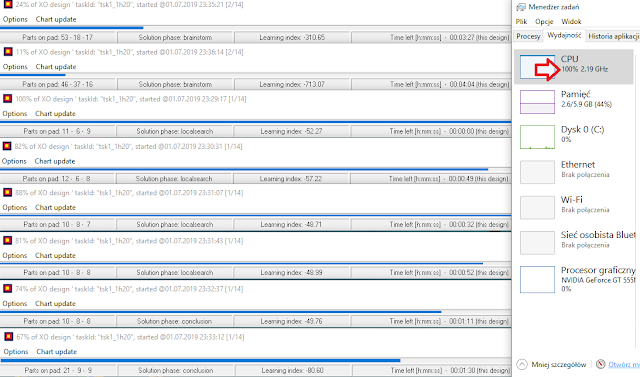
New version of XMachina can benefit from multi-core architecture of a PC system. Usually, when working with XMachina, it is configured to deliver several solutions. They can be designed in the same time by different instances of XMachina working simultaneously on different cores.  It was possible also with the previous versions but it was required that each instance of XMachina had it's own copy of the design file. Keeping control over design when the data is spread on (for example) 8 files was problematic.  The problem is eliminated in the new version. Introduction of storage mediator allows that many instances of XMachina can write to the same design file. To benefit from parallel processing with XMachina_v [1190701], follow these easy steps:  - crate a design task and save the design file,  - start the design,  - start a new instance of XMachina, open the same design file and start the design,  - repeat the last point several time...
Obraz
Latest version of XMachina: [1190515]  download New features: Common ground architecture option in the design task setup window.  Check it to get circuits designed with common ground, something like:  Design time manager.  For example, to get 4 designs until the same time next day set it this way: so XMachina will spent 6 hours on each design. Needless to say the longer design time the better results to be expected, however before starting long designs it’s recommended to execute few test 5 to 10 min designs just to make sure that there are no issues in the design task settings. It’s also easy to setup a test run with the time manager feature, for instance: XMachina can design in the background. No special settings are needed, for example while XMachina is working on design nr 3 of 4 you can analyze or edit finished designs nr 1 and 2. The design process nr 3 is being continued in the background (then nr 4).

New version of XMachina [1190115]

Obraz
New version  of XMachina : [ 1190115 ] 1) Impedance phase equalization option introduced. See "System impedance target" group in the task settings window. 2) Protection against impedance module fall for high frequencies added. Basically the impedance targets are checked a decade beyond the end frequency for dBspl target (that is to 200kHz typically). 3) To avoid application of large inductors/capacitors/high power resistors it is recommended that dBspl target curve follows the woofer characteristic  in the low frequency region. You can use "follow the woofer" tool to set it this way, it's available in the context menu of the chart area: then click points  to define the rest of the target, for example: